 Media
Media
Module 04 · by AMLLC
Slot-Machine App Reels
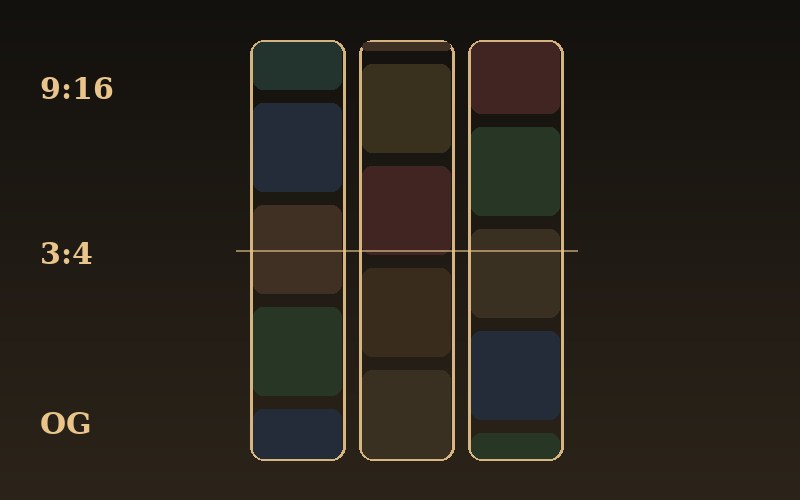
Make the promo that sells the app. A grid of your tiles — food, products, avatars, screenshots — spins like a casino slot machine behind your headline, then settles. One self-contained HTML file renders 9:16, 3:4, and OG from the same markup. Screen-record it for App Store, TikTok, Reels, and Shorts; screenshot it for your link preview.
Instant access — the reader opens right after payment. Or read chapter one free as a member.
See it move
The reel, live.
This is the actual output running in your browser, in OG (link-preview) size — flip to 9:16 or 3:4, hit Spin, or just let it loop. Screen-record a card exactly like this.
The result
What you end up with
How it works
The technique, in four moves
No timeline software, no export pipeline. A container-query stage, three tile strips, and a Web Animations spin — everything else is copy and color.
container-type:size and a data-ar flag. Size everything in cqw/cqh so 9:16, 3:4, and OG all come from one document.Overshoot, stagger, blur.
The difference between a promo that looks bought and one that looks templated is three things, all in the spin: an easing curve that overshoots its stop by a hair (the reel's mechanical settle), a per-reel stagger so the columns land one after another like a real machine, and a touch of motion blur while a strip is moving that clears the instant it stops. Miss them and you have sliding boxes; get them and you have a slot machine.
The math
One file replaces the render pipeline.
Motion tool or freelancer
The slot-reel file
Before you start
What you need
A browser, a headline, and a handful of tiles. That's the whole kit — the module walks the rest.
A browser — anything modern; the page is one self-contained HTML file. · Your copy — wordmark, one headline, one subline, a CTA label. · Tiles — a dozen emoji, or square images inlined as data URLs. · A screen recorder — the built-in OS one is plenty for the vertical clips.
Inside the module
The reel, chapter by chapter
One file, three ratios
Why the stage is a container-query context and everything is sized in cqw/cqh — so 9:16, 3:4, and OG all come from a single document you never fork.
Building the reels
Three columns, ~26 square tiles each, emoji-plus-tint or images. Why data URLs matter when you record with no network, and why square art wins.
The spin that feels mechanical
The overshoot cubic-bezier, the per-reel distance and duration stagger, and the spin-time blur — the three details that read as a real machine.
The seamless re-spin
Rotate the scrolled tiles to the end and zero the transform on every stop, so auto-loop is invisible and a short capture loops without a seam.
Fade-to-solid so text always wins
Content on a solid ground with a matching fade ramp above it — the one-color rule that keeps the reels lively and the headline readable.
OG landscape + exporting the asset
The text-left / reels-right OG split with height-based type, and how to screen-record the verticals and screenshot the OG frame.
Who it's for
Made for the launch that needs a promo
You should read this if you're shipping an app, a feature, or a store and want a scroll-stopping promo — for the App Store, TikTok, Reels, Shorts, or your link preview — without opening a motion-graphics tool.
Skip it if you already have a motion designer on call and a budget for a cut per aspect ratio every time your headline changes.
Or skip the reading entirely — apply to have your branded reel built for you, tiles, copy, and all three ratios delivered, from $500.
Two doors
Read it, or hand it to us.
Get the guide
The full 6-chapter reader — the container-query stage, the tile strips, the mechanical spin, the seamless loop, the fade-to-solid overlay, and the OG split. The complete reference file included. Yours to keep, updated as the pattern improves.
Have it built
We build your branded reel — your tiles, your headline, your palette — and deliver 9:16, 3:4, and OG ready to post, plus the source file. Apply, we scope it, you approve a fixed price first.
Apply to have it built